
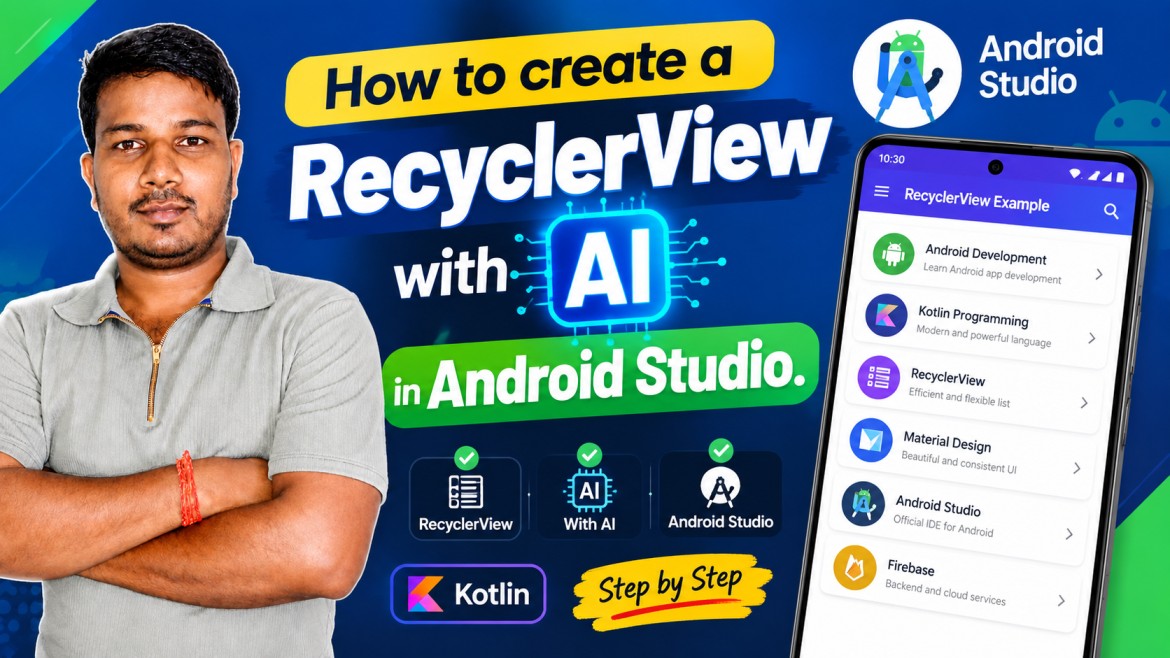
Generate a prompt for a RecyclerView with latest Material UI Design with an item click to open a new Activity with Kotlin in Android Studio.
Create a complete, modern Android application in **Android Studio using Kotlin** that demonstrates a **RecyclerView with the latest Material UI design** and an **item click listener that opens a new Activity**.

### 1. Technology Requirements

* Programming Language: **Kotlin**
* IDE: **Android Studio**
* UI: **Material Design / Material 3**
* Use AndroidX libraries.
* Use **RecyclerView**.
* Follow modern Android development best practices.
* Use **ViewBinding** instead of `findViewById`.
* Use Gradle Kotlin DSL if appropriate.
* Code should be clean, organized, beginner-friendly, and production-ready.
* Avoid deprecated APIs wherever possible.

### 2. Main Screen

Create a `MainActivity` containing:

* A modern **Material 3 Toolbar / Top App Bar**.
* Title: **"RecyclerView Example"**
* A clean RecyclerView below the app bar.
* Proper edge-to-edge layout handling.
* Attractive spacing, padding, rounded corners, and Material 3 styling.
* Light and dark theme support.
* Smooth RecyclerView scrolling.

### 3. RecyclerView Item Design

Create a beautiful Material 3 card-based RecyclerView item.

Each item should contain:

* Circular image/icon on the left.
* Title.
* Short description.
* Optional category/status text.
* A Material icon such as an arrow/chevron on the right.
* Rounded MaterialCardView.
* Proper elevation and spacing.
* Ripple/touch feedback when the user taps an item.

Example data:

1. Android Development
2. Kotlin Programming
3. RecyclerView
4. Material Design
5. Android Studio
6. Firebase
7. SQLite Database
8. API Integration
9. Push Notifications
10. App Development

Use local drawable/vector resources for demonstration images instead of relying on external image URLs.

### 4. RecyclerView Architecture

Create:

* `MainActivity.kt`
* `RecyclerViewAdapter.kt`
* `Model/Data Class`
* RecyclerView item XML layout
* Activity XML layout
* Required drawable/vector resources.

The adapter should use a proper **ViewHolder** implementation.

Create a clean click-listener interface or lambda-based callback so that `MainActivity` can respond when an item is clicked.

### 5. Item Click Functionality

When the user taps any RecyclerView item:

* Open a separate Activity named `DetailActivity`.
* Pass the selected item's data using an `Intent`.
* Display the selected item's:

  * Image/icon
  * Title
  * Description
  * Category/status
* Add a Material 3 Top App Bar with a back button.
* The DetailActivity should have a clean and attractive Material UI layout.

For example:

```text
RecyclerView Item
       ↓
    Item Click
       ↓
  Intent + Data
       ↓
 DetailActivity
       ↓
Display Selected Item
```

### 6. Intent Data Passing

Demonstrate proper data passing from `MainActivity` to `DetailActivity`.

For example, pass:

```kotlin
intent.putExtra("title", item.title)
intent.putExtra("description", item.description)
intent.putExtra("category", item.category)
```

Retrieve the values safely inside `DetailActivity`.

If there is a more modern/recommended approach suitable for the selected Android architecture, use it and explain why.

### 7. Material 3 UI

Use modern Material components such as:

* `MaterialToolbar` / Material 3 TopAppBar
* `MaterialCardView`
* Material buttons where appropriate
* Material icons
* Material typography
* Material colors
* Rounded corners
* Ripple effects
* Proper spacing and accessibility

The UI should look like a **modern 2026 Android application**, not an old Android tutorial.

### 8. Search Feature

Add a Material 3 search interface to the MainActivity.

The user should be able to search/filter RecyclerView items by title.

Requirements:

* Search icon in the Top App Bar or a Material search field.
* Real-time filtering as the user types.
* Show an attractive empty-state message when no results are found.
* Search should be case-insensitive.

### 9. Empty State

If the RecyclerView contains no matching items:

Display a centered empty state containing:

* Material search/info icon.
* Text: **"No items found"**
* Short supporting message.

### 10. Project Structure

Organize the project cleanly, for example:

```text
app/
 └── src/
     └── main/
         ├── java/com/example/recyclerview/
         │   ├── MainActivity.kt
         │   ├── DetailActivity.kt
         │   ├── RecyclerViewAdapter.kt
         │   └── ItemModel.kt
         │
         ├── res/
         │   ├── layout/
         │   │   ├── activity_main.xml
         │   │   ├── activity_detail.xml
         │   │   └── item_recyclerview.xml
         │   │
         │   ├── drawable/
         │   ├── mipmap/
         │   └── values/
         │       ├── colors.xml
         │       ├── strings.xml
         │       └── themes.xml
         │
         └── AndroidManifest.xml
```

### 11. Code Quality

The generated project must:

* Compile successfully in Android Studio.
* Contain no missing imports.
* Contain no unresolved references.
* Avoid deprecated methods.
* Handle configuration changes appropriately.
* Use meaningful variable and class names.
* Include comments explaining important sections.
* Follow Kotlin coding conventions.
* Use efficient RecyclerView practices.
* Avoid unnecessary libraries.

### 12. Deliverables

Provide the **complete working source code**, including:

1. `build.gradle.kts` / required Gradle configuration
2. `AndroidManifest.xml`
3. `MainActivity.kt`
4. `DetailActivity.kt`
5. `RecyclerViewAdapter.kt`
6. `ItemModel.kt`
7. `activity_main.xml`
8. `activity_detail.xml`
9. `item_recyclerview.xml`
10. `colors.xml`
11. `strings.xml`
12. `themes.xml`
13. Required drawable/vector resources
14. Any required Gradle dependencies.

Clearly explain **where each file should be created** in Android Studio.

### 13. Final Testing

Before providing the final code, verify the complete flow:

**Launch App → MainActivity → RecyclerView → Tap Item → DetailActivity → Display Correct Item Data → Back to MainActivity**

Also verify that:

* RecyclerView scrolls correctly.
* Search filtering works.
* Item click works.
* Intent data is transferred correctly.
* Dark/light themes work.
* The application does not crash.
* The UI follows modern Material 3 design principles.

Generate the project as a **complete beginner-friendly Android Studio Kotlin implementation**, not just snippets or pseudocode.