
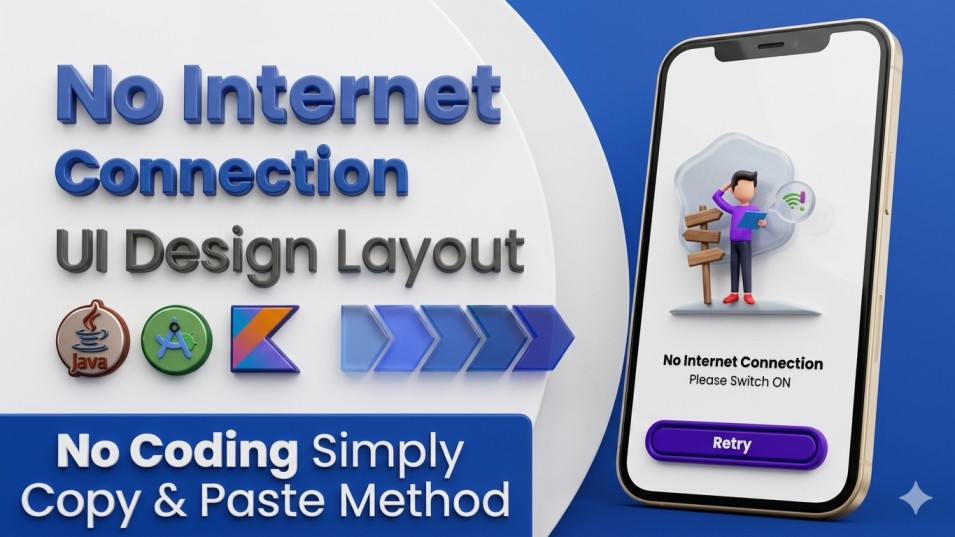
In this blog, we have to create a No Internet Connection UI Layout to show details in an arranged view in Android Studio. We will provide the latest code UI/UX layout for the user, reliable for the Android App.
Before creating the project, we have provided some assets to support its development.
Implement the App Color Code in the “colors.xml” file.
Here, we have to insert the color code to customise your application project.
<color name=”purple_200″>#FFBB86FC</color>
<color name=”purple_500″>#FF6200EE</color>
<color name=”purple_700″>#FF3700B3</color>
<color name=”teal_200″>#FF03DAC5</color>
<color name=”teal_700″>#FF018786</color>
<color name=”black”>#FF000000</color>
<color name=”white”>#FFFFFFFF</color>
Replace “Action Bar” with “No Action Bar”.
<style name=”Theme.ThakurPrasad2026″ parent=”Theme.MaterialComponents.DayNight.NoActionBar”>
<!– Primary brand color. –>
<item name=”colorPrimary”>@color/purple_500</item>
<item name=”colorPrimaryVariant”>@color/purple_700</item>
<item name=”colorOnPrimary”>@color/white</item>
<!– Secondary brand color. –>
<item name=”colorSecondary”>@color/teal_200</item>
<item name=”colorSecondaryVariant”>@color/teal_700</item>
<item name=”colorOnSecondary”>@color/black</item>
<!– Status bar color. –>
<item name=”android:statusBarColor”>?attr/colorPrimaryVariant</item>
<!– Customize your theme here. –>
</style>
Implement the UI design layout code “bg.xml” given below.
<?xml version="1.0" encoding="utf-8"?>
<shape xmlns:android="http://schemas.android.com/apk/res/android"
    android:shape="rectangle">

    <solid android:color="@color/purple_700" />
    <stroke
        android:width="2dp"
        android:color="@color/white" />
    <corners android:radius="96dp" />

</shape>
Insert assets into the No Internet Screen UI Layout.
We need a LOGO and Text Image for this project. So, download Assets now.
Create a “custom_no_internet_dialog.xml” UI Design Layout.
<?xml version="1.0" encoding="utf-8"?>
<androidx.constraintlayout.widget.ConstraintLayout xmlns:android="http://schemas.android.com/apk/res/android"
    xmlns:app="http://schemas.android.com/apk/res-auto"
    android:layout_width="match_parent"
    android:layout_height="match_parent"
    android:background="@color/white"
    android:fitsSystemWindows="true"
    android:orientation="vertical">

    <com.airbnb.lottie.LottieAnimationView
        android:id="@+id/lottieAnimationView"
        android:layout_width="match_parent"
        android:layout_height="350dp"
        app:layout_constraintBottom_toBottomOf="parent"
        app:layout_constraintEnd_toEndOf="parent"
        app:layout_constraintStart_toStartOf="parent"
        app:layout_constraintTop_toTopOf="parent"
        app:layout_constraintVertical_bias="0.2"
        app:lottie_autoPlay="true"
        app:lottie_loop="false"
        app:lottie_rawRes="@raw/no_internet_dialog" />

    <TextView
        android:id="@+id/textView2"
        android:layout_width="wrap_content"
        android:layout_height="wrap_content"
        android:text="No Internet Connection"
        android:textColor="@color/black"
        android:textSize="22sp"
        android:textStyle="bold"
        app:layout_constraintBottom_toTopOf="@+id/retryBtn"
        app:layout_constraintEnd_toEndOf="parent"
        app:layout_constraintStart_toStartOf="parent"
        app:layout_constraintTop_toBottomOf="@+id/lottieAnimationView"
        app:layout_constraintVertical_bias="0" />

    <TextView
        android:layout_width="wrap_content"
        android:layout_height="wrap_content"
        android:text="Please Switch ON Internet Connection"
        android:textColor="@color/black"
        android:textSize="18sp"
        app:layout_constraintBottom_toTopOf="@+id/retryBtn"
        app:layout_constraintEnd_toEndOf="parent"
        app:layout_constraintStart_toStartOf="parent"
        app:layout_constraintTop_toBottomOf="@+id/textView2"
        app:layout_constraintVertical_bias="0" />

    <androidx.cardview.widget.CardView
        android:id="@+id/retryBtn"
        android:layout_width="match_parent"
        android:layout_height="60dp"
        android:layout_marginStart="60dp"
        android:layout_marginEnd="60dp"
        app:cardBackgroundColor="@color/purple_700"
        app:cardCornerRadius="96dp"
        app:cardElevation="3dp"
        app:layout_constraintBottom_toBottomOf="parent"
        app:layout_constraintEnd_toEndOf="parent"
        app:layout_constraintStart_toStartOf="parent"
        app:layout_constraintTop_toBottomOf="@+id/lottieAnimationView">

        <RelativeLayout
            android:layout_width="match_parent"
            android:layout_height="match_parent"
            android:layout_margin="4dp"
            android:background="@drawable/bg"
            android:gravity="center">

            <TextView
                android:layout_width="wrap_content"
                android:layout_height="wrap_content"
                android:text="Retry"
                android:textColor="@color/white"
                android:textSize="24sp"
                android:textStyle="bold" />

        </RelativeLayout>

    </androidx.cardview.widget.CardView>

</androidx.constraintlayout.widget.ConstraintLayout>
Implement a “NetworkUtil.java” File.
public class NetworkUtil {

    public static String getNetworkState(Context context) {
        String status = null;
        ConnectivityManager connectivityManager =
                (ConnectivityManager) context.getSystemService(Context.CONNECTIVITY_SERVICE);
        NetworkInfo networkInfo = connectivityManager.getActiveNetworkInfo();
        if (networkInfo != null) {
            if (networkInfo.getType() == ConnectivityManager.TYPE_MOBILE) {
                status = "Mobile Network Connected";
                return status;
            } else if (networkInfo.getType() == ConnectivityManager.TYPE_WIFI) {
                status = "WIFI Network Connected";
                return status;
            }

        } else {
            status = "No Internet Connected";
            return status;
        }

        return status;
    }
}
Implement an “InternetCheckService.java” File.
public class InternetCheckService extends BroadcastReceiver {
    @Override
    public void onReceive(Context context, Intent intent) {
        String status = NetworkUtil.getNetworkState(context);
        Dialog dialog = new Dialog(context,
                android.R.style.Theme_NoTitleBar_Fullscreen);
        dialog.setContentView(R.layout.custom_no_internet_dialog);

        CardView retry = dialog.findViewById(R.id.retryBtn);
        retry.setOnClickListener(v -> {
            ((Activity) context).finish();
            Intent mainActivity = new Intent(context, MainActivity.class);
            context.startActivity(mainActivity);
        });

        if (status.isEmpty() || status.equals("No Internet Connected")) {
            dialog.show();
            Toast.makeText(context, status, Toast.LENGTH_SHORT).show();

        }
    }
}
Implement a “MainActivity.java” File.
Implement Variable Code in the Java File.
BroadcastReceiver broadcastReceiver = null;
broadcastReceiver = new InternetCheckService();

        checkInternetConnection();
private void checkInternetConnection() {
        registerReceiver(broadcastReceiver,
                new IntentFilter(ConnectivityManager.CONNECTIVITY_ACTION));

    }
@Override
    protected void onPause() {
        super.onPause();
        unregisterReceiver(broadcastReceiver);
    }
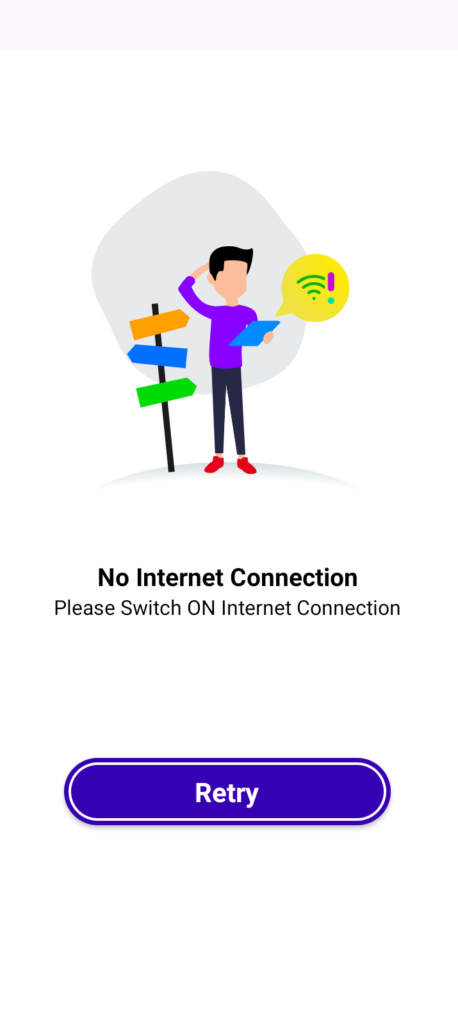
Output Result in Image View Given Below.
……………….Thank You……………….