
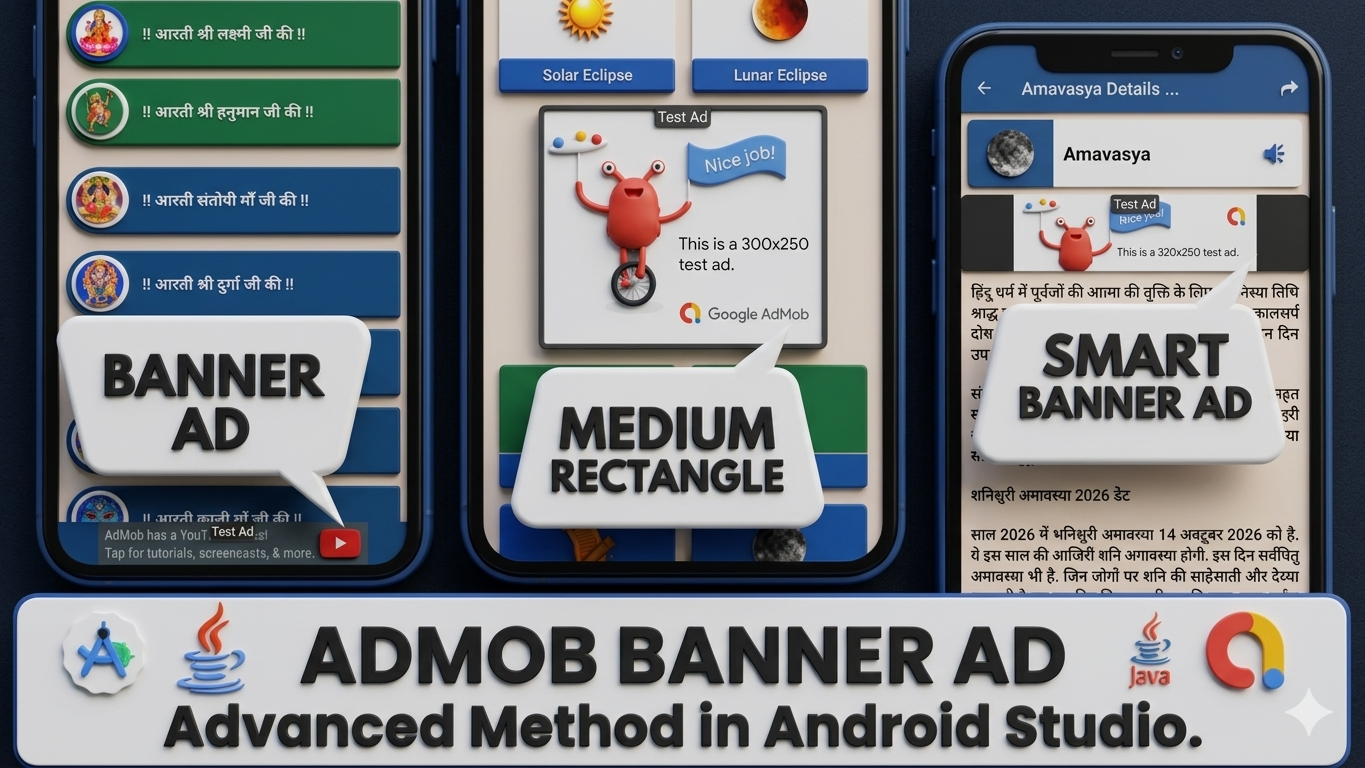
In this blog, we have to implement Google AdMob Ad in your Android App with the help of the Android Studio platform. We have to complete the code given below.
Before creating the project, we have provided some assets to support its development.
We have implemented a dependency under the build.gradle.kts file.
// Admob Ads Dependency
implementation("com.google.android.gms:play-services-ads:25.2.0")
After that, we have to implement Google AdMob Ad Meta-Data name Application-ID under the AndroidManifest.xml file.
<meta-data
            android:name="com.google.android.gms.ads.APPLICATION_ID"
            android:value="ca-app-pub-3940256099942544~3347511713" />
Now, we have to start an Advanced Method with the name “BannerAdsUnit” Java file to implement the Banner Ads ID.
public static final boolean AD_STATUS = true;
    public static final String ADMOB_BANNER_ID = "ca-app-pub-3940256099942544/6300978111";
Now, we have to start an Advanced Method named “BannerAdsManager” in the Java file to initialize Banner Ads.
Activity activity;

    public BannerAdsManager(Activity activity) {
        // Implement Constructor
        this.activity = activity;
    }

    public void initAd() {
        if (BannerAdsUnit.AD_STATUS) {
            MobileAds.initialize(activity);
        }
    }

    public void ShowBannerAd(LinearLayout container) {
        if (BannerAdsUnit.AD_STATUS) {
            AdView adView = new AdView(activity);
            adView.setAdSize(AdSize.BANNER);
            adView.setAdUnitId(BannerAdsUnit.ADMOB_BANNER_ID);
            container.addView(adView);
            AdRequest adRequest = new AdRequest.Builder().build();
            adView.loadAd(adRequest);
        }
    }
Now, Initialize Smart Banner Ads.
public void ShowSmartBannerAd(LinearLayout container) {
        if (BannerAdsUnit.AD_STATUS) {
            AdView adView = new AdView(activity);
            adView.setAdSize(AdSize.SMART_BANNER);
            adView.setAdUnitId(BannerAdsUnit.ADMOB_BANNER_ID);
            container.addView(adView);
            AdRequest adRequest = new AdRequest.Builder().build();
            adView.loadAd(adRequest);
        }
    }
Now, Initialize Medium Rectangle Ads.
public void ShowMediumRectangleBannerAd(LinearLayout container) {
        if (BannerAdsUnit.AD_STATUS) {
            AdView adView = new AdView(activity);
            adView.setAdSize(AdSize.MEDIUM_RECTANGLE);
            adView.setAdUnitId(BannerAdsUnit.ADMOB_BANNER_ID);
            container.addView(adView);
            AdRequest adRequest = new AdRequest.Builder().build();
            adView.loadAd(adRequest);
        }
    }
Now, we have to create a Linear Layout that can show Banner Ads under this Layout.
<LinearLayout
            android:id="@+id/bannerAdContainer"
            android:layout_width="wrap_content"
            android:layout_height="wrap_content"
            android:orientation="vertical"
            app:layout_constraintBottom_toBottomOf="parent"
            app:layout_constraintEnd_toEndOf="parent"
            app:layout_constraintStart_toStartOf="parent" />
Now, we have to insert code for showing a Normal Banner Ad in any Activity Layout.
// ADMOB Banner AD
        LinearLayout bannerAdsContainer = findViewById(R.id.bannerAdContainer);
        BannerAdsManager adsManager = new BannerAdsManager(this);
        adsManager.initAd();
        adsManager.ShowBannerAd(bannerAdsContainer);
……………….Thank You……………….